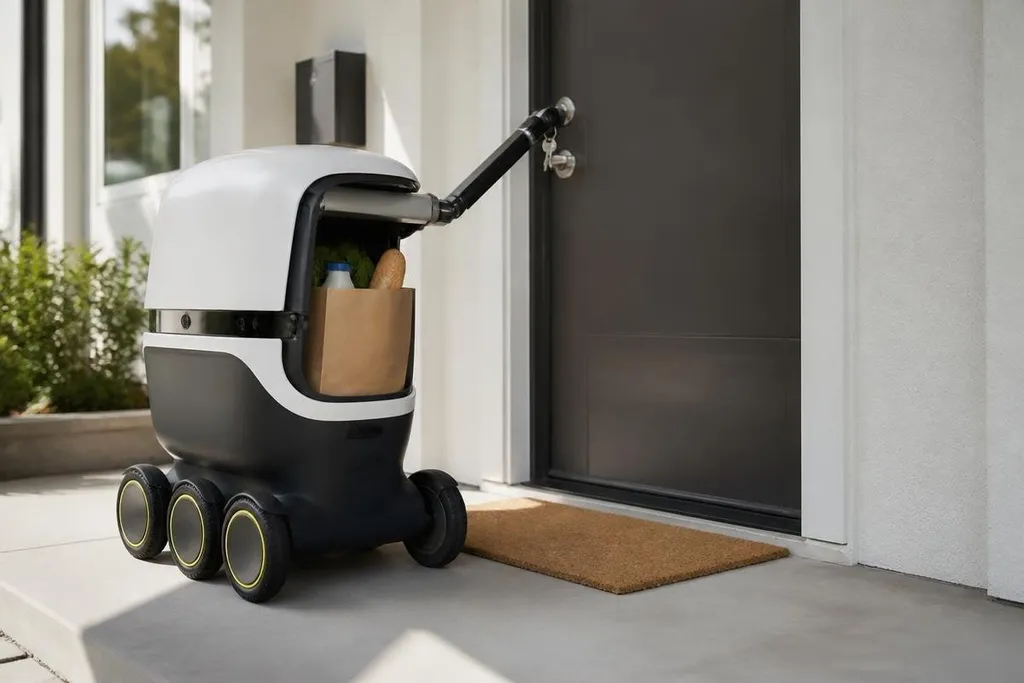
A robot that carries your groceries is useful. A robot that can open your front door has a different job: it can enter when nobody is home. Trust starts with the access system, not the robot’s voice or appearance.
- A physical key gives the robot direct entry.
- A PIN or phone command adds a check before the door opens.
- Access logs show who opened the door, when, and why.
What the robot can actually do
The first question is narrow: does the robot hold a key, enter a code, or ask another device to open the door? Each method creates a different risk. A key can be copied or lost, while a code can be exposed through a camera, microphone, or stolen phone.
A robot that asks for approval before entry gives you a clear stopping point. That approval might come through a phone, a keypad, or a second device inside the home. The useful detail is the rule: does the door open after one command, or does the system ask for a fresh check each time?
Physical limits matter too. A robot may reach the lock but fail to turn it, or open the door and stop at the threshold. A demo that shows one successful turn says little about rain, poor lighting, a blocked path, or a lock that needs two actions.
The checks that make access safer
Good access control has more than one part. A time rule can limit entry to a set period. A location check can confirm that the robot is near the correct door. An audit log can record each request and the result, including failed attempts.
A remote stop is useful when the robot behaves badly. It should stop the robot’s movement, but you also need a way to cancel door access. Those are separate controls, and a phone app that handles only one of them leaves a gap.
A door lock adds a second failure point: the robot may stop moving while its access link stays active. Robot24.com's home robotics reports can show which system controls both actions and what happens when the link fails.
What happens when the system fails
A home robot needs a clear failure rule. If its camera loses the doorway, the network drops, or the battery runs low, the door should stay locked until a person approves the next step. The robot should also report the failure in plain language.
Data creates another concern. A robot near the front door may collect video, audio, location data, or access records. Ask where those records are stored, how long they remain available, and who can view them. If the maker gives no clear answer, the access feature is unproven.
The owner also needs control after a sale, repair, or account change. A former resident, service worker, or shared account should not keep the same entry rights. Access must be easy to remove without resetting every other home function.
A decision guide before access is granted
Use these checks before connecting a robot to a lock:
- Name the method: record whether entry uses a key, code, phone approval, or another device.
- Test a failed request: check that a lost network or wrong location leaves the door locked.
- Check the log: confirm that the system records successful and failed access attempts.
- Remove one user: delete a person or device and verify that entry stops.
- Set a time rule: limit access to the hours the robot needs, if the system allows it.
- Keep a manual option: make sure a person can open the door without the robot or its app.
These checks also show what the maker has failed to explain. A clear setup guide, visible status message, and working removal process matter more than a smooth video of a robot turning a handle.
The answer for your front door
I’d keep a robot away from house keys until it can prove three things: access follows a clear rule, every entry leaves a record, and failure keeps the door locked. Carrying a package is a task; entering a home is permission. The machine should earn that permission one check at a time.